Quick Summary: Education web applications support learning, administration, communication and content delivery through a single digital platform. The right scope for education software development depends on who uses the platform, which features matter, what integrations are needed, how data is secured and how accessible the experience needs to be for every learner.
A school may manage admissions, attendance, assignments and parent communication across five separate spreadsheets and apps. A university might run a different portal for every department, none of which talk to each other. An online learning business could be juggling a course platform, a payment tool and a spreadsheet just to track learner progress.
Each of these problems looks different on the surface, but the fix is usually the same: a properly planned education web application that brings the right workflows together for the right users. Pennine Technolabs works with schools, universities and eLearning companies on exactly this kind of project, and this guide walks through what actually goes into education web application development for education businesses and institutions.
Why a School Portal and an Online Course Platform Aren’t the Same Build
An education web application is a browser based platform that supports learning, teaching or administrative work without needing separate desktop software on every device.
What that platform needs to do changes a lot by organisation. A school usually needs attendance, timetables, parent communication and report cards in one place. A university student portal generally needs course registration, grades, library access and several departments working from the same student record.
An eLearning business selling courses online has a fairly different job to do. It needs course delivery, video hosting, subscriptions or one time payments and progress tracking for individual learners. A tutoring platform adds scheduling, tutor availability and session based payments into the mix. A corporate learning provider often needs to separate individual learners from company accounts, since HR teams need reports a single learner should not see.
This is why treating every education software development project the same way rarely works well in practice. The table below gives a rough sense of how requirements shift by platform type.
| Platform type | Core job | Typical primary users |
|---|---|---|
| School management system | Attendance, timetables, communication | Students, teachers, parents, admin staff |
| University or LMS portal | Course delivery, grading, records | Students, faculty, registrars |
| Online learning platform | Course sales, video, progress tracking | Individual learners |
| Tutoring platform | Scheduling, sessions, payments | Tutors, learners, parents |
| Corporate learning platform | Training, compliance tracking, reporting | Employees, HR and L&D admins |
What Students, Teachers, Administrators and Parents Actually Need
Once the platform type is clear, the next question is what each user role needs to do inside it. This is where role based access matters: a student should not see admin settings, and a teacher should not have to dig through financial records just to mark attendance.
| User | Common requirements |
|---|---|
| Students | Courses, assignments, progress, communication |
| Teachers | Content, classes, assessments, student management |
| Administrators | Users, reporting, permissions, configuration |
| Parents | Progress, attendance, communication where applicable |
| Tutors | Scheduling, courses, learners, communication |
A student dashboard usually shows active courses, assignments and recent grades. A teacher dashboard is built around classes, submissions waiting for grading and simple ways to post announcements. An administrator’s view leans more on reporting and user management than day to day teaching tools.
UNESCO reports that 92% of higher education professionals now use AI tools in their work, though only about a quarter feel very confident doing so, a useful reminder that dashboards and any AI assisted feature need to stay simple enough for non-technical staff to trust.
For educational web app development specifically, assignment and assessment workflows deserve extra attention: submission, grading and feedback need to work smoothly for a single assignment or a structured programme with several assessment types. Search and filtering across courses or resources becomes genuinely useful once a content library grows.
Notifications by email, SMS or in-platform alerts keep students and teachers in sync, and many schools now pair the platform with a companion mobile app so students can check assignments from a phone.
Search and filtering across courses or resources becomes genuinely useful once a content library grows. The platform should also be built accessible from the start (WCAG 2.2) and handle student data under FERPA or GDPR as relevant, since these aren’t things to bolt on later.
Notifications by email, SMS or in-platform alerts keep students and teachers in sync, and many schools now pair the platform with a companion mobile app so students can check assignments from a phone.
Which Integrations Are Actually Worth Building
Not every education software platform needs all of these integrations. The right integrations depend on how the platform generates revenue, delivers learning, and manages its core operations.
- Payment gateways, for paid courses, subscriptions or exam registrations
- Video and live class tools, where live sessions or recorded lessons are part of the product
- Email and SMS services, for reminders, deadlines and announcements
- Calendar systems, for class schedules and events
- Student information systems, where a school or university needs to connect existing student records
- CRM tools, for tracking leads and learners in an eLearning business
APIs sit behind most of this, letting the education platform talk to a payment processor, a video provider or an existing student database without rebuilding that functionality from scratch. This is one of the more overlooked parts of eLearning web application development planning, since adding an API layer later usually costs more than designing for it early.
Architecture Decisions That Shape Cost and Scale
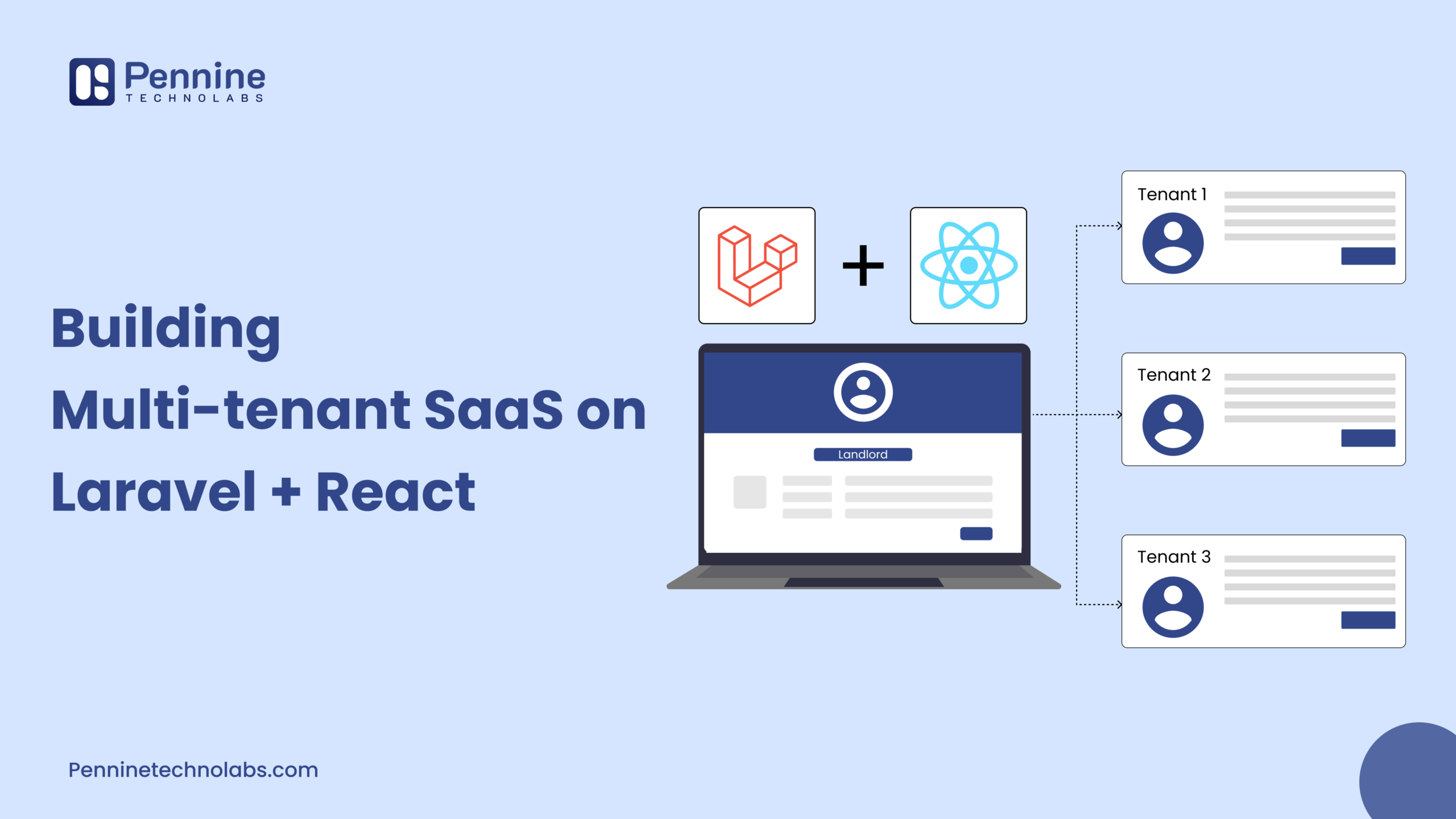
A few technical decisions made early in education web application development have an outsized effect on cost later. An online learning business serving both individual learners and corporate customers usually needs a multi-tenant architecture, so each company account stays separate while running on the same codebase.
Pennine Technolabs has written in more detail about the trade-offs of building multi-tenant SaaS platforms on Laravel and React, which applies just as well to eLearning web application development as it does to other SaaS products.
Database choice follows similar logic. A content heavy LMS with videos and quizzes often works well with a mix of relational and document storage, while a records heavy system like a student information system usually leans on a relational database such as PostgreSQL or MySQL. Cloud infrastructure from AWS, Azure or Google Cloud handles hosting either way, though the right choice depends on existing tools and budget rather than one platform being universally better.
The OECD’s Digital Education Outlook 2026 makes a related point: analytics and AI features only support real learning when they are designed around clear pedagogical goals, not simply added on as a dashboard widget.
What Shapes Development Cost and Timeline
There is no single honest price for education app development: a simple course list app and a full school management system with fee collection are different projects. What changes the estimate stays fairly consistent:
- Number of user roles and how different their dashboards need to be
- Content and assessment complexity
- Integrations, especially payments and video
- Mobile apps alongside the web platform
- Accessibility and security requirements
- Data migration from an existing system
- Testing and ongoing maintenance
| Platform level | Typical scope | Rough timeline |
|---|---|---|
| Basic | Login, roles, courses, simple dashboard | A few months |
| Mid-level | Assessments, reporting, integrations, notifications | Several months |
| Advanced | Complex workflows, multiple integrations, video, payments, mobile apps | Longer, usually phased |
These figures are illustrative development estimates, not fixed prices. A reliable number only comes after discovery and technical scoping, since two “mid-level” platforms can still differ a lot depending on how much custom logic they need.
Should You Build Custom Software or Adapt an Existing Platform?
Custom education app development is not always the right call, and existing platforms are not always wrong for it either.
Building custom usually makes more sense when:
- An existing LMS or portal does not fit the actual teaching or admin workflow
- Multiple systems need to work together in ways off the shelf tools do not support
- The organisation wants real control over data, branding and the feature roadmap
- The business model needs to scale in a way generic software was not built for
Sticking with existing software often works better when:
- Requirements are fairly standard
- Budget or timeline is genuinely tight
- An existing tool already solves the core problem well enough
There is no universally correct answer here, and a short discovery conversation usually settles it faster than guessing.
How to Start Your Education Software Project
Before speaking with a development partner for custom web application work, it helps to write down a few things:
- Who the platform is for: students, staff, corporate learners or tutors
- The main workflows they need to complete
- Required features, user roles and content types
- Assessment and reporting needs
- Integrations, security and accessibility requirements
- A rough budget and timeline
None of this needs to be perfect. It gives a development team enough to turn requirements into a proper technical scope and a realistic roadmap, rather than starting from a blank page.
A good education web application is built around how a school, university or eLearning business actually works, not around a checklist copied from another platform. User roles, content, integrations, accessibility and a sensible technology architecture all shape whether the finished product gets used once term starts.
If you are scoping a project like this, whether it is a student portal, an LMS or a training platform for a growing eLearning business, team Pennine Technolabs is happy to talk through the technical side of it. Get in touch with our team today!