Quick Summary: Building a website is more than just coding and design; it’s a structured process that blends creativity, strategy, and technology. Check out the stages of web development, highlighting how each step contributes to a website’s success. Discover the tools to make the process easier to execute web development projects with precision and proven results.
Is your CodeIgniter website struggling with slow page load times? We know the feeling, you have a robust application, but the delay costs you user engagement and affects the website.
CodeIgniter is packed with untapped speed potential through configuration, strategy, and best coding practices, making it a lightning-fast and efficient powerhouse.
Improving the performance and speed of a CodeIgniter website requires targeted, realistic optimizations on the server and in the code. CodeIgniter website developer audit of the assets and resource loading, codebase optimization, and the use of appropriate caching and compression tools to realize quantifiable benefits in website responsiveness and user experience.
What Causes a CodeIgniter Website to Load Slowly?
A slow CodeIgniter website is often the result of a set of software, database, server, and front-end problems rather than the framework itself. Common problems include inefficient database queries, missing indexes, excessive database requests, unoptimized images, large CSS and JavaScript files, poor caching, slow third-party APIs, outdated PHP configurations, and limited server resources
The first step is to identify the actual bottleneck rather than using standard speed fixes. For example, if the server response time is high, snapshot optimization will have little impact unless a backend or database issue is addressed.
General Solutions:
- Optimize slow and repeated database queries.
- Add the appropriate database indexes.
- Enable application and browser archiving.
- Compress poorly sized images.
- Minify and defer unnecessary CSS and JavaScript.
- Reduce third-party API requests.
- Enable PHP OPcache and use an appropriate PHP version.
- Upgrade server resources if the application is constrained by CPU, memory, or disk performance.
How to Test CodeIgniter Website Performance
Establish a baseline of functionality before optimizing the CodeIgniter web app. Test essential pages, use Google PageSpeed Insights or Lighthouse to be aware of frontend issues, while at the same time, server-side profiling and database monitoring can detect issues that browser-based tools cannot detect.
Give unique interest to Time to First Byte (TTFB), Largest Contentful Paint (LCP), database query time, server response time, general web page length, and request of requests.
For deeper insights, use CodeIgniter’s profiling capabilities to point out consecutive database queries, excessive execution times, memory usage, and inefficient software methods.
A practical testing process is:
- Run a PageSpeed or Lighthouse test.
- Check TTFB and server response time.
- Profile the CodeIgniter utility.
- Identify slow database queries and API calls.
- Check server CPU and memory usage.
- Fix the biggest bottleneck first.
- Test once more and evaluate the results.
This approach prevents unnecessary optimization and helps determine which adjustments undoubtedly improve performance.
Key Strategies for CodeIgniter Speed Optimization
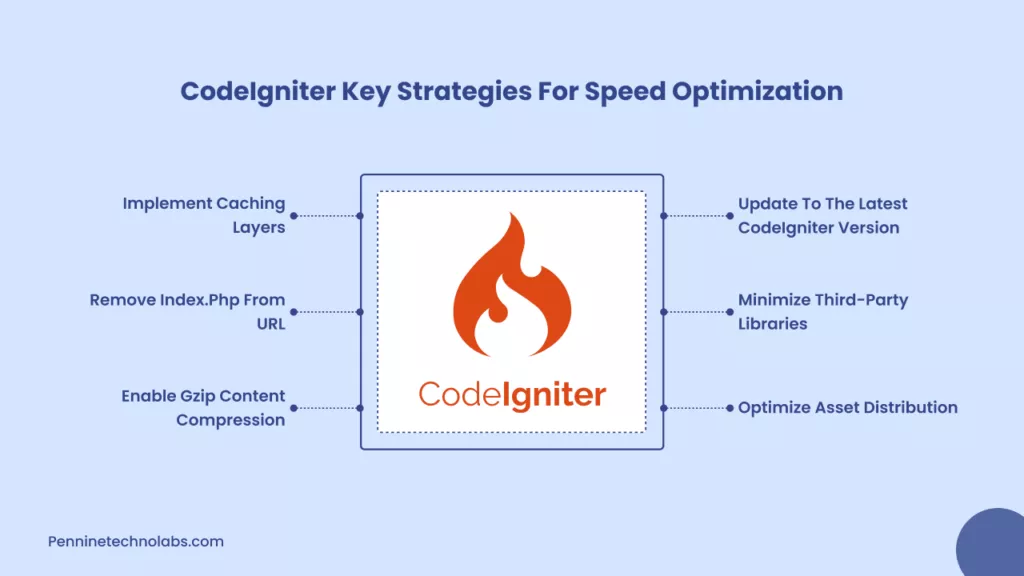
Update to the latest CodeIgniter version
CodeIgniter’s new version brings improvements that make the framework lighter, safer, and more efficient. Updating helps you avoid outdated functions and improves overall performance by managing requests. Upgrade to the latest CodeIgniter 4.6.3 today to fix any hidden bugs.
Minimize Third-Party Libraries.
Too many external libraries burden your project. Keep only what you really need. Removing unused packages frees up resources and reduces the time each process takes to run.
Optimize Asset Distribution
Large CSS, JavaScript, and image files slow down page load speed. Compress your images, merge smaller files, and use modern formats like WebP to reduce file size. A clean asset structure provides a seamless experience for every user.
Enable Gzip Content Compression
Gzip reduces the size of your files before they are sent to the browser. This simple change speeds up page load times across all devices. You can enable Gzip through your server settings or with a minor update to your htaccess file.
Remove Index.php from URL
Clean URLs are not only better for SEO but also help with performance and routing. With a simple change to your htaccess file and route configuration, you can remove index.php and give your website a simpler structure.
Implement Caching Layers
Caching allows your server to store final versions of your pages so it doesn’t rebuild them every time. CodeIgniter supports full page caching and fragment caching, both of which improve load times and reduce server stress.
Advanced CodeIgniter Techniques to Speed Up Your Website
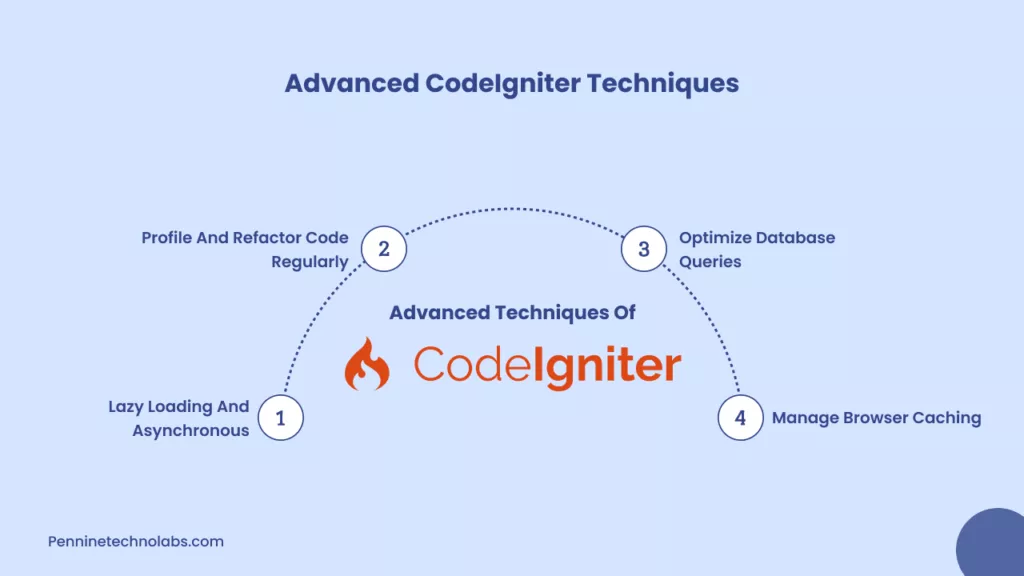
Lazy Loading and Asynchronous
Lazy loading allows your website to load only what is needed at the moment. This keeps the initial load light and improves the user journey. Asynchronous processing also helps in handling heavy tasks in the background.
Profile and Refactor Code Regularly
Slow functions, unnecessary loops, and repeated logic increase load times. CodeIgniter has a built-in profiler that helps you measure execution time and identify bottlenecks so you can refine your code with confidence.
Optimize Database Queries
A website becomes slow when the database takes too long to respond. Use proper indexing, avoid heavy joins, and get only the data you need. Clean queries reduce load times and make your pages responsive.
Manage Browser Caching
Browser caching stores static files in the visitor’s device so that they are loaded immediately the next time. Setting an appropriate cache duration improves repeat visits and reduces server load.
Also Read: What Is CodeIgniter? Framework Explained with Features & Benefits
CodeIgniter Speed Optimization: 15 Ways to Speed Up Your Website
This CodeIgniter checklist alone can help improve CodeIgniter website load time by 30% to 70% when implemented correctly.
- Monitor Core Web Vitals regularly
- Enable query caching for frequently used database queries
- Optimize Active Record queries to avoid unnecessary joins
- Reduce N plus 1 query issues in data loops
- Add proper database indexing on high usage columns
- Use opcode caching like OPcache
- Enable page and fragment caching where possible
- Compress images and static assets
- Minify CSS and JavaScript files
- Enable Gzip or Brotli compression on the server
- Use a CDN for static file delivery
- Reduce unused libraries and helpers
CodeIgniter Website Monitoring and Testing
Regular monitoring
CodeIgniter development company uses tools like PageSpeed Insights, Lighthouse, and GTMetrics to measure performance, test layout changes, identify unused assets, and track long-term improvements. A monthly CodeIgniter performance monitoring is more than enough to maintain consistent results.
Performance optimization should not end after a single speed test. A CodeIgniter application can become slower as its database grows, traffic increases, new features are added, or third-party integrations are introduced.
Monitor server response time, database query performance, PHP errors, memory and CPU usage, API response times, page load metrics, and application logs regularly. For applications with significant traffic or complex functionality, performance monitoring tools and server-level monitoring can help identify bottlenecks before they affect users.
A useful approach is to establish baseline performance after optimization and periodically compare new measurements against it. If response times begin increasing, investigate the change before adding more optimization techniques.
How Pennine CodeIgniter development Works?
Pennine Technolabs helps businesses get the best out of their CodeIgniter websites. Our team identifies hidden issues that slow down your pages, optimizes your backend architecture, cleans up your code, and sets up advanced caching and asset workflows. With Pennine CodeIgniter development:
- Your CodeIgniter website loads faster
- With high traffic, you get stable functionality
- Our CodeIgniter application performs better
We offer a complete cleanup or a full custom CodeIgniter web app. Our team can upgrade your CodeIgniter website to a high standard.
Does CodeIgniter Version Affect Performance?
Yes, however, the CodeIgniter version is the single most influential factor in the average application’s overall performance. An inefficient CodeIgniter utility can remain sequential even after an upgrade, while well-configured software can do so successfully.
CodeIgniter 4 provides additional state-of-the-art structure and improved support for the modern-day PHP version compared to CodeIgniter 3. However, overall performance depends heavily on application code, database queries, storage, server configuration, PHP version, and infrastructure.
If your website is on an old CodeIgniter application, consider upgrading when the current version limits protection, PHP compatibility, and maintainability, or get the right to access modern capabilities. Check compatibility and overall performance in a staging environment before upgrading build software.
The goal should not simply be to upgrade for speed. First, identify existing overall performance bottlenecks, and then determine whether upgrading the framework is part of the right answer.
Need Help Optimizing a CodeIgniter Application?
If your CodeIgniter application remains slow after the primary optimization, the hassle may be deeper than image compression or caching. Database queries, Web app architecture, legacy code, API integration, PHP configuration, and server resources can all have an impact on overall performance.
Pennine Technolabs can help identify and resolve CodeIgniter performance bottlenecks, from database backend optimization to server configuration and application improvements.
If you need help diagnosing a slow CodeIgniter application, talk to our CodeIgniter development team to identify issues affecting the speed and scalability of your application.
Conclusion
CodeIgniter Website speed is the foundation of a good digital experience. A fast CodeIgniter website builds trust, improves search rankings, and provides users with an enjoyable journey. By taking the proper steps, your website becomes smoother, lighter, and more efficient. Now is the right time to optimize and prepare your website for the audience you want to reach.
FAQs on CodeIgniter Performance Optimization
Why is my CodeIgniter website slow?
Some of the common causes include inefficient database queries, no caching, poor server configuration and not optimised assets.
How much can CodeIgniter’s load time be improved?
Most CodeIgniter websites see 30 to 70 percent improvement after proper performance optimization.
Does CodeIgniter support caching?
Yes. CodeIgniter supports file-based, database, and memory-based caching to decrease the time spent in server processing.
Is CodeIgniter suitable for high-traffic websites?
Yes. CodeIgniter is capable of supporting high traffic and enterprise-level applications with effective optimization and caching.
Do database indexes really improve performance?
Yes. Proper indexing significantly reduces query execution time, especially for large datasets.