Quick Summary: A growing Shopify store usually hits the same wall. Orders increase, but inventory tracking, order routing, and warehouse coordination start breaking down. ERP integration connects Shopify with your accounting, inventory, and supply chain systems, so stock numbers and order data stay accurate everywhere. Shopify supports multi-location inventory natively, but the number of locations and automation depth depend heavily on your Shopify plan. Shopify Flow and the Shopify Admin API make automation and custom ERP integration possible, though each has real technical limits worth planning around. Choosing the best Shopify development company or the right person to hire shopify plus developer usually decides whether this scaling process goes smoothly or turns messy.
Why Growing Shopify Stores Need More Than Basic Inventory Management?
Every Shopify store starts simple. One warehouse, one spreadsheet, maybe a notebook for tracking returns. This works fine for the first hundred orders.
Then growth happens, and the same manual process that worked earlier starts causing real problems. Stock counts go wrong. Orders get assigned to the wrong warehouse. Someone sells the same item twice by mistake.
This is usually the point where business owners start searching for shopify developers who can build something more dependable than spreadsheets and guesswork. It is also usually the point where ERP integration first comes up as a serious option.
Signs your Shopify Store Has Outgrown Manual Processes
You probably do not need an ERP system on day one. But certain signs make it fairly clear that manual inventory management is holding your business back.
- Your team updates stock numbers by hand across multiple systems
- Orders sometimes get fulfilled from a warehouse that is already out of stock
- Finance and operations teams are working from different, mismatched numbers
- Adding a new sales channel means even more manual data entry
- You cannot easily tell which products are fast movers and which are dead stock
If two or more of these sound familiar, it is a fair sign that your current setup has outgrown basic tools. This is usually when businesses start looking seriously at a shopify development company that understands both ecommerce and backend systems.
How ERP Integration Makes Daily Operations Easier
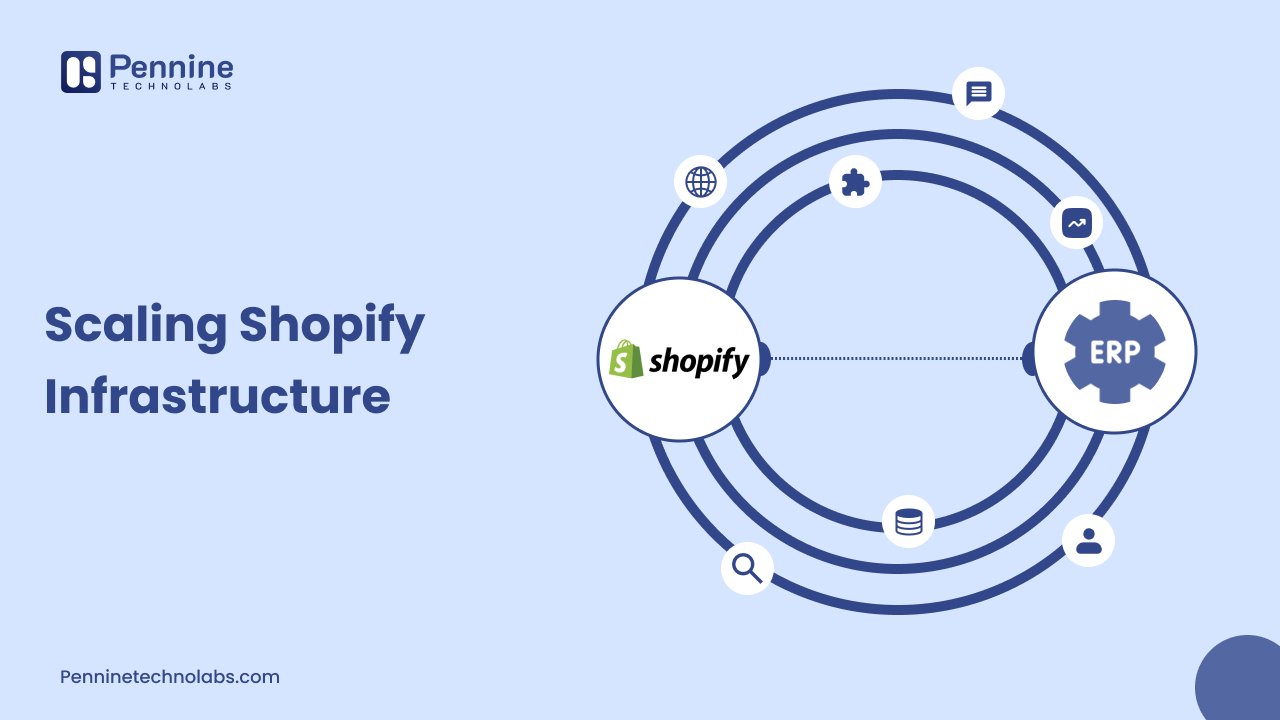
ERP integration simply connects Shopify to the ERP system your business already uses for accounting, inventory, and supply chain management. Instead of updating numbers separately in two or three places, everything talks to each other automatically.
A properly built integration usually handles:
- Stock synchronization between Shopify and your warehouse or ERP software
- Order management, so new orders in Shopify create matching records in your ERP
- Customer and pricing data staying consistent between systems
- Automatic updates when products are added, changed, or discontinued
This kind of setup usually relies on the Shopify Admin API to read and write data between Shopify and your ERP software. According to Shopify’s own developer documentation, the GraphQL Admin API is rate-limited using calculated query costs, where standard Shopify plans get a bucket of 1,000 points, restoring at 50 points per second. Shopify’s official API usage limits page explains this in detail, and it matters a lot for ERP integration projects, since a poorly designed sync can hit these limits and slow everything down.
What Happens When Inventory is not Synced?
This is probably the most expensive mistake in ecommerce, and it happens quietly until it becomes a big problem.
When inventory is not synced properly, a few things usually go wrong at once:
- Customers order products that are actually out of stock, leading to cancellations and refunds
- Warehouse teams waste time searching for stock that does not physically exist at that location
- Finance reports show numbers that do not match what is actually happening in the warehouse
- Trust in the data breaks down, so teams start double-checking everything manually anyway
Shopify’s own documentation on multi-location inventory explains that each location’s inventory is tracked separately and cannot be shared or pooled automatically between locations. This means proper order routing and stock synchronization have to be planned carefully, especially once a business is running more than one warehouse.
How Shopify Plus Supports Enterprise Growth?
Shopify Plus is built for businesses that have outgrown standard Shopify plans, and the platform reflects this in a few concrete ways. Shopify documentation on managing locations, active location limits differ clearly by plan. Starter and Basic plans allow far fewer locations, while Shopify Plus supports up to 200 active locations. This alone makes a big difference for businesses running multiple warehouses or retail stores.
Shopify Plus also increases API capacity for heavier integrations. Documentation on GraphQL Admin API rate limits confirms that Shopify Plus stores get a larger cost bucket and a faster restore rate compared to standard plans, which directly helps businesses running frequent ERP integration syncs.
This is exactly why many growing businesses choose to hire Shopify Plus developer in USA support rather than trying to force enterprise-level automation onto a standard plan that was not built for that scale.
Automating Inventory Workflows With Shopify Flow
Beyond ERP integration, Shopify Flow gives businesses a way to automate repetitive tasks without writing custom code for every workflow.
Shopify Flow lets merchants automate tasks and processes within their store and across connected apps by building workflows using triggers, conditions, and actions. It is available on Basic, Grow, Advanced, and higher-tier plans, though certain advanced actions are limited to higher-tier plans.
Common inventory workflows built with Flow include:
- Automatically hiding a product when it goes out of stock at every location
- Notifying a warehouse team when stock drops below a set threshold
- Tagging orders that need special handling before fulfillment
- Triggering a restock request when inventory forecasting shows a shortage coming
Shopify Flow is genuinely useful, but it has real limits too. Complex, multi-system automation involving external ERP software usually still needs custom development using the Shopify API rather than Flow alone.
Common ERP Systems That Work with Shopify
Businesses use a range of ERP software depending on their size and industry. Some of the more common systems that integrate with Shopify include:
| ERP System | Generally Used By |
|---|---|
| Microsoft Dynamics 365 | Mid-size to large enterprises with existing Microsoft infrastructure |
| Oracle NetSuite | Fast growing businesses needing financial and inventory control together |
| SAP Business One | Manufacturing and distribution focused businesses |
| Odoo | Small to mid-size businesses wanting an affordable, modular ERP |
| Acumatica | Businesses needing flexible, cloud based ERP deployment |
Each of these systems has its own official documentation and integration approach, so the right custom Shopify development plan usually depends on which ERP software your business already uses or is planning to adopt.
Mistakes Businesses Make During ERP Integration
ERP integration projects fail more often from planning mistakes than from technical ones. Here are the ones we see most often.
- Trying to sync everything at once instead of starting with core data like inventory and orders
- Ignoring API rate limits, which leads to failed syncs during high traffic periods
- Not accounting for multi-location inventory rules when designing the integration logic
- Skipping proper testing before connecting live inventory data
- Choosing a Shopify plan that cannot support the automation depth the business actually needs
Avoiding these mistakes usually comes down to working with Shopify developers who have handled ERP integration projects before, rather than treating it as a simple plug-and-play setup.
Read Ecommerce Mistakes: Bottlenecks for Ecommerce Platforms
How to Hire the Right Shopify Developers?
Not every project needs the same level of expertise. hire the right Shopify developer who can clearly define the scope of project, evaluate Shopify stores and vet the technical skills to ensure smooth e-commerce experience. A basic store update is different from a full ERP integration and inventory automation project.
You should look to hire Shopify developer support when you need:
- Custom Shopify API work connecting your store to an ERP system
- Multi-location inventory setup across several warehouses
- Shopify Flow automation for order management and stock alerts
You likely need to hire Shopify Plus developer-level expertise when your project involves:
- Enterprise ecommerce architecture spanning multiple sales channels
- Heavy API usage that needs the larger rate limit capacity Shopify Plus provides
- B2B ecommerce features like custom pricing, company accounts, or complex catalogs
When evaluating a Shopify development company, ask about their experience with ERP software specifically, not just general Shopify store building. The best Shopify development company for this kind of project will usually walk you through their integration approach before writing a single line of code.
What to Plan Before You Start Scaling?
Before jumping into ERP integration, it helps to settle a few practical points internally so the project moves faster once development begins.
Timelines depend heavily on the ERP software involved and how much historical data needs to be migrated, so most projects take anywhere from a few weeks to a few months. Shopify Flow does not replace this work either. Many businesses run both together, using Flow for simpler automation while the ERP integration handles deeper financial and inventory synchronization. And if your growth plans involve heavier API usage or a larger number of warehouse locations, it is worth checking early whether a standard Shopify plan can actually support that load, since it usually cannot once automation gets more advanced.
Concluding It All For You
Scaling Shopify infrastructure is rarely about adding more apps randomly. It is about understanding how ERP integration, inventory workflows, and Shopify’s own platform limits fit together for your specific business.
A thoughtful approach usually starts with fixing core inventory management and order management issues first, then expanding automation as the business grows. Working with an experienced shopify development company makes this process considerably smoother, since they have already solved these exact problems for other growing businesses.
Team Pennine Technolabs Is Always Up For A Quick Discussion
If your Shopify store has reached the point where spreadsheets and manual updates are not cutting it anymore, it usually helps to talk through your specific setup with people who have handled this exact scaling problem before.
Pennine Technolabs works with growing ecommerce businesses on everything from Shopify development to ERP integration, multi-location inventory setup, and Shopify Plus automation. If you are exploring whether to hire shopify developer support or need someone experienced enough to hire shopify plus developer level work, our team can walk you through the right approach for your specific stack. You can also see how we support businesses at different stages on our hire Shopify developers page.
Whenever you are ready, reach out to Pennine Technolabs and we will help you figure out what your Shopify store actually needs next.