Quick Summary: Most AI SaaS failures aren’t due to poor AI, but to deficient production infrastructure that can’t support scalable, iterative ML systems. Issues like broken streaming, rate limits, and tenant data leaks are common. This guide takes developers and technical founders building AI SaaS through technical decisions on stack selection, streaming, multi-tenant design, user cost controls, and deployment for real-world loads.
Artificial Intelligence is transforming how modern SaaS products are built, helping businesses automate processes, improve user experiences, and gain competitive advantages. Companies investing in AI Development Services are increasingly choosing scalable technology stacks such as React and Node.js to build intelligent SaaS applications powered by machine learning, Generative AI, and automation.
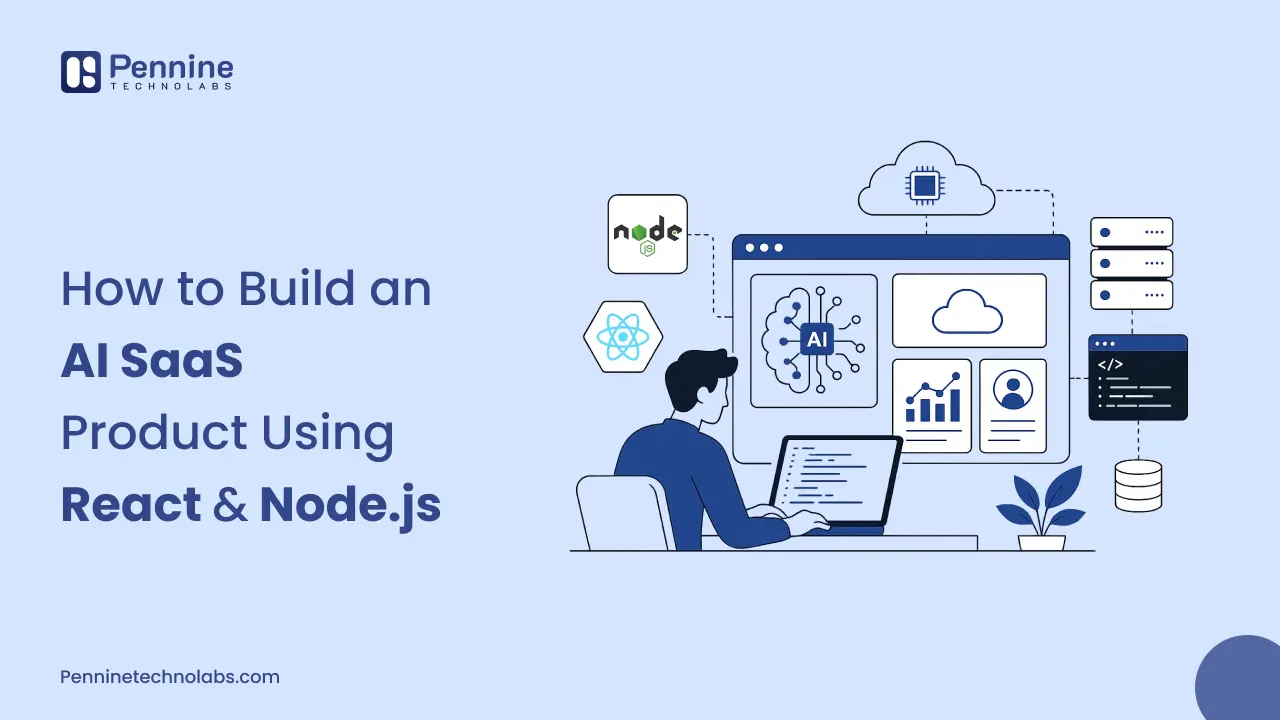
In this guide, we’ll explore how to build a modern AI SaaS product using React and Node.js, covering architecture, key features, technology decisions, and best practices. Whether you’re planning an AI-powered startup, developing a SaaS platform, or evaluating custom AI solutions, understanding the right development approach can significantly impact product scalability and long-term success.
Looking for expert assistance? Our AI Development company helps businesses design, develop, and deploy custom AI-powered applications, SaaS platforms, AI chatbots, and intelligent automation solutions tailored to their business goals.
Why React and Node.js Are the Right Foundation for AI SaaS
React dominates SaaS frontends for one practical reason: it’s the most battle-tested component framework for complex, data-driven UIs. Every AI code-generation tool on the market has been extensively trained on React patterns. When you build React application, you get component reuse, fast iteration, and developers who can hit the ground running.
The specific case for Node.js on the backend is less obvious but more important. AI workloads are I/O-bound because your server spends most of its time waiting for the LLM provider to respond rather than computing. Node’s non-blocking event loop handles thousands of open connections simultaneously with minimal resource overhead. Python is great for ML training. For handling concurrent HTTP connections and WebSocket streams from real users, Node.js is faster and cheaper to run.
Together, React and Node.js give you a full JavaScript stack. Shared types across frontend and backend. A single team that can work across the entire codebase without context-switching. For an AI SaaS development company building products at speed, that matters.
The Tech Stack: What to Use and Why
Every layer of this stack is chosen for a specific AI SaaS constraint, not just a general web development best practice.
| Layer | Technology | Why It Fits AI SaaS |
|---|---|---|
| Frontend | React 19 + Next.js 15 | Streaming UI, SSR, App Router for AI responses |
| State | Zustand / Redux Toolkit | Low boilerplate; Redux for complex undo/redo flows |
| Backend | Node.js + Express | Non-blocking I/O handles concurrent LLM API calls |
| AI Integration | Vercel AI SDK | Token streaming, provider failover, multi-model routing |
| Database | PostgreSQL + pgvector | Relational data + vector embeddings in one store |
| Cache / Queue | Redis | Rate limiting, job queuing, per-tenant token budgets |
| Auth | Clerk / Auth0 | JWT with tenant_id claim, MFA, social login out of the box |
| Infra | AWS / GCP + Docker | Auto-scaling; isolate AI inference service independently |
One note on the AI SDK choice: the Vercel AI SDK handles token streaming, provider failover, and multi-model routing with minimal code. If OpenAI returns a 429 or 500, it automatically routes to a fallback provider. To produce an AI SaaS product, that kind of resilience is not optional.
Integrating the AI Layer: Streaming Responses the Right Way
The single most important UX decision in any AI SaaS build is streaming. Do not make users stare at a spinner while the model generates output. Stream, it token by token.
A five-second wait for a full response feels broken. The same five seconds spent watching tokens appear feels fast. The difference is entirely psychological, but it cuts perceived latency dramatically and keeps users in the product.
Here is how you wire up streaming on the Node.js backend with Express:
app.post('/api/generate', async (req, res) => {

 res.setHeader('Content-Type', 'text/event-stream');

 const stream = await openai.chat.completions.create({

   model: 'gpt-4o-mini',

   stream: true,

   messages: req.body.messages,

 });

 for await (const chunk of stream) {

   const token = chunk.choices[0]?.delta?.content || '';

   res.write(`data: ${JSON.stringify({ token })}\n\n`);

 }

 res.end();

});
On the React side, you read the Server-Sent Events stream and append tokens to state as they arrive. The user sees output immediately. Generation time becomes invisible.
One non-obvious requirement: always monitor time-to-first token separately from total generation time. Set an alert for P95 latency exceeding three seconds on that first token. That is what the metric users actually feel.
Multi-Tenancy: The Architecture Decision That Shapes Everything
Multi-tenancy is the hardest architectural decision in AI SaaS. It looks simple on day one. It becomes your biggest constraint by year two.
The core rule is simple: Customer A must never see Customer B’s data. In a regular SaaS app, this is a database scoping problem. In an AI SaaS product, it is also a vector database problem, a prompt injection problem, and a cost attribution problem simultaneously.
Schema Design
For most early-stage AI SaaS products, a shared-schema approach works because every table carries a tenant_id column, and every query filters by it. The trap is forgetting. One unscoped query exposes tenant data. The defensive pattern is a middleware that injects tenant context automatically:
app.use((req, res, next) => {

 const token = verifyJWT(req.headers.authorization);

 req.tenantId = token.tenant_id; // set once, used everywhere

 next();

});
JWT tokens must include the tenant_id claim. File storage must be prefixed by tenant: s3://bucket/{tenant-id}/… Audit logs must record tenant_id on every write. These are not optional; they are the checklist you run before shipping to production.
RAG and Vector Isolation
The tenant isolation at the vector layer is critical when building an AI SaaS product that uses aio-retrieval-augmented generation (RAG), and your user documents are chunked, embedded, and stored for contextual retrieval. You never pull Customer A’s documents when Customer B has a query. It also needs tenant-aware indexing in your vector database (Qdrant or Pinecone), fine-grained access control per collection, and extensive audit logging.
Controlling AI Costs Per Tenant
This is the problem most first-time AI SaaS builders do not see coming. AI API calls are expensive. One enterprise customer on a flat subscription sending 50,000 GPT-4 requests per month will quietly destroy your margins.
The solution is a cost middleware layer that tracks token usage per tenant and enforces limits per pricing tier. Here is the pattern:
async function aiCostMiddleware(req, res, next) {

 const budget = await getTenantBudget(req.tenantId);

 if (budget.tokensUsed >= budget.monthlyTokenLimit) {

   return res.status(429).json({ error: 'Monthly AI limit reached' });

 }

 // Route to cheaper model on standard tier

 req.aiModel = budget.tier === 'enterprise' ? 'gpt-4o' : 'gpt-4o-mini';

 next();

}
Pair this with per-query cost logging, so you have ground-truth attribution per tenant. Without it, you cannot price it correctly. You cannot catch abuse. And you cannot tell which customers are profitable.
Queue AI Requests in Redis
If 100 users click ‘Generate’ simultaneously, you cannot fire 100 live LLM API calls at once. You will hit provider rate limits and crash the server. The correct pattern: push every AI job into a Redis queue. A separate worker service processes jobs in batches. The app stays responsive. Traffic spikes become manageable.
Usage-Based Pricing: Build It in From Week One
Seat-based pricing is dying in AI SaaS. The market is moving to usage-based and outcome-based models. Credits are the practical middle ground for users to buy credits, spend them on AI actions, and upgrade when they run out.
Build credit tracking into your data model on day one. Retrofitting it later into a product that launched with flat subscriptions is painful and expensive. Stripe metered billing supports this natively. Track credits in your own database and treat Stripe as the payment and invoicing layer, not the source of truth.
How Pennine Technolabs build AI SaaS Product
With top-class AI development services, our AI SaaS product isn’t as simple as deciding on which technology to use. You require a scalable architecture, a smooth user experience, backend systems, AI integration, and a team of developers who know how to turn an idea into a product on the market. By leveraging React for the front-end and Node.js for the back-end, companies can rapidly, flexibly, and efficiently develop scalable, performant AI SaaS solutions. By combining React for the frontend and Node.js for the backend, businesses can build high-performing, fast, and flexible AI SaaS solutions designed to scale and thrive.
Pennine Technolabs assists startups, SaaS companies, and enterprises in creating custom-made AI-powered applications that meet their business needs. Our team handles everything from UI and backend development to AI model integration, API development, cloud deployment, and long-term support, ensuring high performance, scalability, and user experience. From the ground up or for existing platforms looking to be transformed, you can start building the solution that’s ready for tomorrow and scales with your business.
FAQs on AI SaaS product
How to Choose the Right Backend for an AI SaaS Product?
Node.js For AI SaaS backends w/ Express is the go-to standard. Because the server is waiting on LLM APIs to respond, instead of performing heavy CPU calculations themselves, AI workloads are I/O-bound. Node uses an event loop in a non-blocking fashion to handle thousands of periodic waiting connections. Python is a second service for ML model inference or data processing pipelines behind the primary Node.js API.
Do I have to build my own AI model, or can I use the OpenAI API?
Use the API. Building and hosting your own model requires knowledge of ML infrastructure, as well as perpetual compute costs, neither of which is a rational trade-off for early-stage SaaS products. OpenAI, Anthropic, or Google production-ready APIs with great uptime SLAs. From day zero, the smart pattern is an abstraction on top of providers, where you can swap or route to them based on cost, latency, or skill without having to re-write your integration.
What compliance requirements should an AI SaaS product plan for?
If you are selling to enterprise customers in the USA or the UK, plan for SOC 2 Type II. It takes six to twelve months to achieve from scratch and is a hard requirement for most procurement processes at that market level. GDPR applies to any product handling data from EU users, even if you are based in the USA. ISO 27001 is increasingly expected in Germany and in enterprise procurement across Europe. Start the compliance track early. Retrofitting security controls and audit logging into a product that was not built with them is significantly more expensive than building them in from the start.