

New Widget
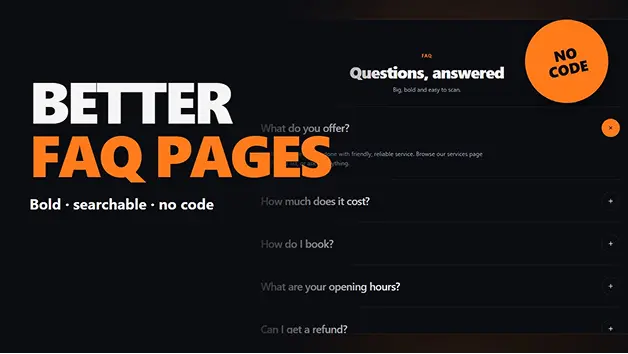
FAQ Widget for GHL Websites & Funnels
Establish a well-structured FAQ to ensure that visitors can easily find the answers to their queries and make informed choices. 4 customizable layouts, organized questions by topic, built-in FAQ SEO data, and interactive features with a responsive design, no coding required.
$10*
*Pricing is on monthly/yearly basis

Available Now

Lifetime updates
At a Glance

Best For
Business Websites
E-commerce Stores
SaaS Businesses
Digital Marketing Firms

Alternatives
Basic Accordion Sections
Static FAQ Pages
Manually Designed Question Sections

Widget Integration

GoHighLevel

Widget Key Features
4 Customizable FAQ Layouts
Glow Boxes
Big Numbered List
Sticky Topic Menu
FAQ with Call-to-Action
Built-In FAQ SEO Data
Direct Links to Individual Questions
Single or Multiple Answer Options
Rich Text Formatting
Make Important Answers Easier to Find
If your visitors can't easily find the answers to common questions that they're likely to have, they might be hesitant to make a decision about your product or service. In addition, long and unstructured FAQs may make it hard to navigate, particularly on a mobile device.
FAQ Widget allows you to display Questions and Answers in a structured format. Plan topics, select interactive layouts, draw attention to important information, and help visitors understand your products and services and make informed choices.
4 Flexible Layouts for Better FAQ Experiences
Present your questions in different styles based on your website design and content requirements. Choose from four layouts that make your FAQ section more organized and engaging.
- Big Numbered List: Use questions with a bold, numbered format and round plus buttons to create a structured and clear FAQ section.
- Sticky Topic Menu: Scroll-following navigation for topics to assist visitors in accessing different categories of FAQ's. The menu swipes when viewed on a mobile device.
- Glow Boxes: Present questions in modern glowing cards with interactive "Was this helpful?" buttons.
- FAQ + Call to Action: Put all your questions together with a "Still have questions?" banner with supporting photos and two customisable buttons.

Organize Questions and Make Answers More Useful
Organize FAQ sections to enable visitors to find information without scrolling. Group questions by topic, customize answer introductions, and break down individual questions into more accessible components.
- Topic-Based Organization: Group related questions into topics to make longer FAQ sections easier to navigate.
- Direct Question Links: Create direct links for visitors to the individual questions to find specific answers.
- Flexible Answer Behaviour: Choose whether one answer or multiple answers can remain open at the same time.
- Rich Text Formatting: Use paragraphs, lists, bold words, and links to present information clearly.
- Built-In FAQ SEO Data: Activate the built-in FAQ SEO data with a toggle to help search engines with structured FAQ data.

Customize Every Detail to Match Your Website
Create an FAQ that seamlessly blends into the design of your website. Manage questions in the visual editor, customize styling, and view results across devices.
- Easy Question Management: Add, duplicate, reorder, and delete questions from the visual editor.
- Live Preview Editor: Review your FAQ section on desktop and mobile while making changes.
- Custom Typography: Inherit your website's page fonts automatically or select the fonts you want to use.
- Flexible Styling: You can change text, accent, box, and background colours to suit your brand.
- Responsive Mobile Layouts: Ensure that questions and answers are easy to navigate from mobile devices by having mobile-specific layouts.

Setup Process
Create an Engaging FAQ Section in 4 Simple Steps
Add your questions, organize topics, customize the layout, and publish.

Add the FAQ Widget
Just add the widget to your website or funnel page, and then click on its settings to begin building your FAQ section.

Add Your Questions and Answers
Create questions, add detailed answers, arrange answers by topics, and add links or rich text formatting as required.

Choose a Layout and Customize
Choose from four layouts: Big Numbered List, Sticky Topic Menu, Glow Boxes, or FAQ + Call to Action. Select fonts, colors, text size, and background colors to customize.

Preview and Publish
Check your FAQ section on desktop and mobile. Review answer behaviour, topic navigation, and SEO settings before publishing it on your website.
What Our Clients Say!
Looking for the right tools to improve your business website? Pennine Technolabs brings practical solutions that help businesses create better digital experiences. Our Reviews Speak Louder!!

I had a fantastic experience! They were
incredibly easy to deal with and always
quick to respond and very efficient. The
entire process was smooth and hassle-free, making everything so much easier. I highly recommend their services to any Australians looking for a reliable and responsive team.

Jack Fricker

We had an amazing experience with
Pennine, their professional and
knowledgeable team delivered beyond our expectations. They understood our
requirements perfectly and provided
innovative solutions. Highly recommended!

Colleen Nagle
Pennine Technolabs created a magnificent ecommerce website for us that looks great and performs innocently. His team was professional, responsible and easy to work from beginning to end. We are really happy with the results and highly recommends their services!

Jorven Kael
FAQs on FAQ Widget
Q) What is an FAQ Widget?
FAQ Widget is a customizable widget for websites that can be used to present frequently asked questions in an organized and interactive format. It lets visitors easily access relevant details and enables companies to respond to common consumer inquiries.
Q) How many layouts are available in FAQ Widget?
FAQ Widget has 4 layouts: Big Numbered List, Sticky Topic Menu, Glow Boxes, and FAQ + Call to Action. There are various ways to structure and present questions for each layout.
Q) Can I organize questions into different topics?
Yes. Longer FAQs can be organized into topics of related questions. The Sticky Topic Menu is also useful to move visitors from one section to another.
Q) Can I keep multiple answers open at the same time?
Yes. You can decide whether you want to allow people to open one answer or allow them to open multiple answers while they are browsing the FAQ section.
Q) Does FAQ Widget support SEO data?
Yes. The widget has built-in FAQ SEO data, which you can activate quickly by using a toggle. This helps in providing structured information for search engines about FAQ.
Q) Can visitors share links to specific questions?
Yes. FAQ Widget provides direct links to each question, where you can share or find particular answers.
Ready to Turn Customer Questions Into Confident Decisions?

Related Products


Stop using boring static images. Four modern gallery layouts with interactive browsing, already set up for GoHighLevel. Available on the GHL Marketplace under Widgets.
$10*
Buy Now
Showcase your best customer reviews with beautifully designed testimonial layouts. Choose from 11 layouts and 16 ready-made designs, customize every detail to match your brand, and turn customer trust into more conversions.
$10*
Buy Now
Show off client, partner, sponsor, and brand logos in stunning sections. Select from 8 flexible layouts and 20 pre-loaded presets, customize all the details, and build trust with visitors without writing a line of code.
$10*
Buy Now